Files & Folders
Drop files and folders into categories, then open folders in Windows Explorer when needed.
QuickDock
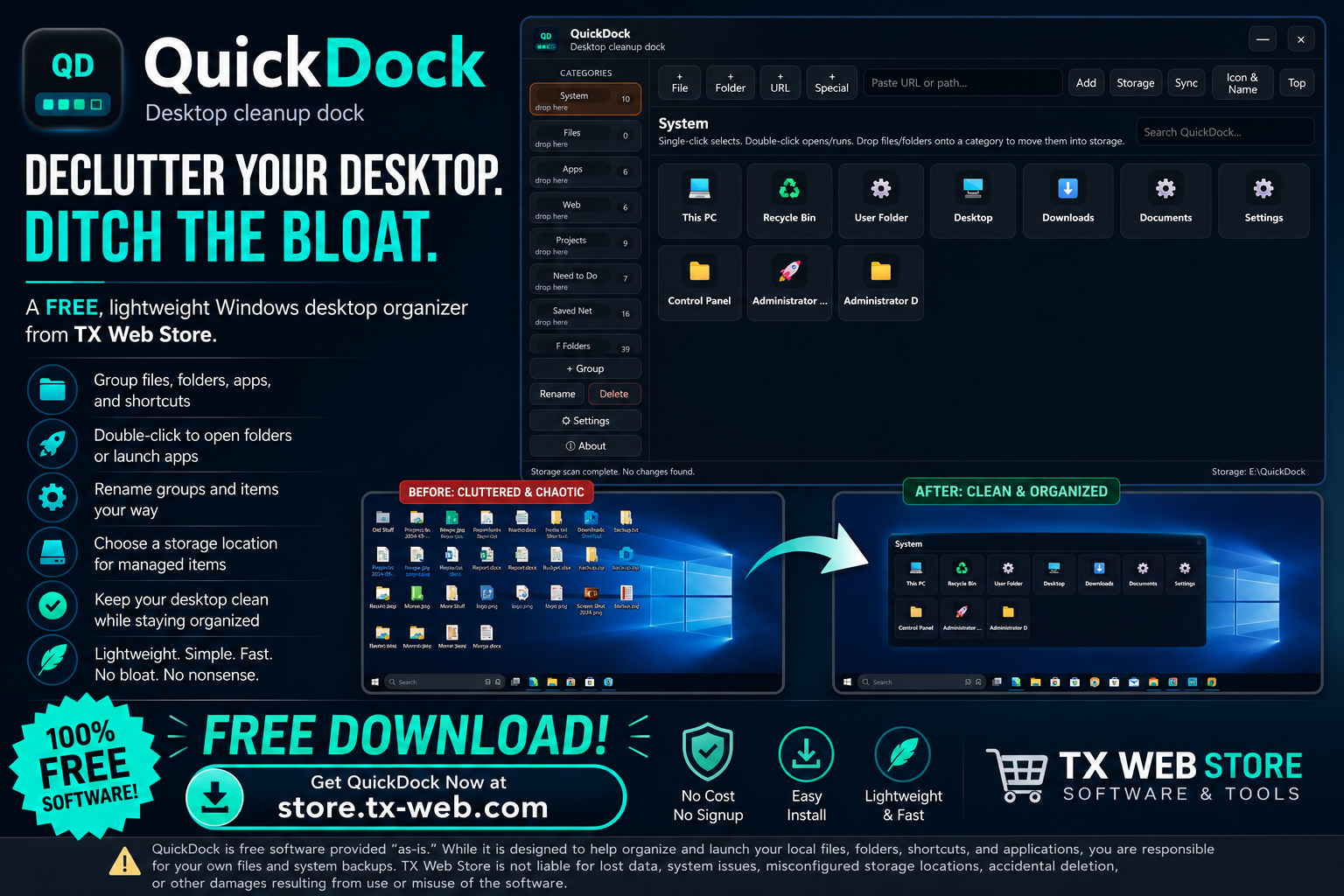
QuickDock is a free Windows desktop cleanup dock built to organize files, folders, apps, shortcuts, projects, and web links from one clean movable interface.
What it does
QuickDock helps replace the wall of desktop icons with organized categories and quick launch cards. It is designed to feel like a simple file-launch workspace instead of a heavy desktop management suite.
Drop files and folders into categories, then open folders in Windows Explorer when needed.
Double-click apps and shortcuts to run them from inside the dock, just like normal desktop items.
Create, rename, and organize groups around your actual workflow: projects, tools, downloads, links, and more.
Choose where managed desktop items are stored while system shell icons remain handled safely by Windows.
Built for a cleaner desktop experience without covering your screen with a bulky always-on overlay.
Desktop cleanup workflow
The goal is simple: organize items into named groups, keep the desktop clean, and still launch or open everything quickly.
Items are organized visually, but they still act like practical Windows items.
Use QuickDock for the things that normally pile up on a desktop and slow down the way you work.
Included download
| Component | Included | Purpose |
|---|---|---|
| Windows app | Yes | Organize and launch files, folders, shortcuts, apps, and links. |
| Installer package | Yes | Install QuickDock on Windows with a normal app workflow. |
| Custom groups | Yes | Create and rename categories for your own desktop organization style. |
| Storage location support | Yes | Choose where managed desktop items are stored. |
| License required | No | QuickDock is currently offered as a free download. |
FAQ
Yes. QuickDock is offered as a free download from TX Web Store.
No. QuickDock is a local Windows desktop organizer. It does not require PHP hosting, a server backend, or a web account.
Back up anything important before reorganizing your desktop, changing storage locations, deleting items, or moving files between folders. QuickDock is intended to help organize items, but your files and backups remain your responsibility.