
Quick SL Text Viewer
Second Life chat and tools without dragging the full 3D viewer into the room.
Quick SL Text Viewer is a lightweight, text-first Second Life client built for IMs, groups, party chat, nearby chat, inventory, notices, SLURLs, teleports, radar, and quick actions.
Free download
Quick SL Text Viewer
QuickSL_Setup.exe
Free sound pack
Clarkson WAV Pack
Clarkson wav pack.zip
Important: Run Quick SL as Administrator.
Right-click the installer and choose Run as administrator so Windows lets it place everything where it belongs, App must also run with Adminstrator permissions to open sounds folder.
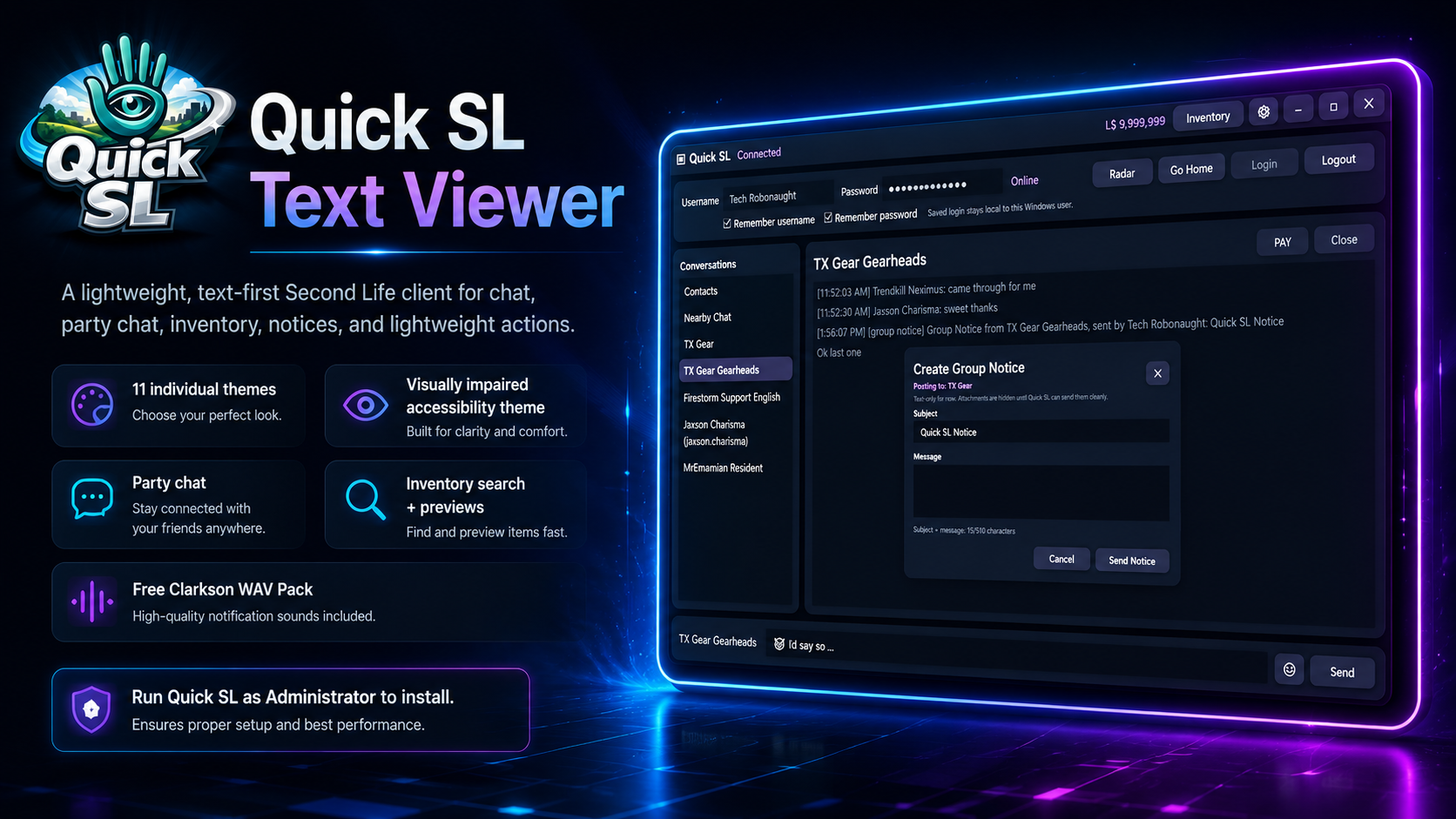
Features
Built for staying connected, not rendering the entire metaverse just to say hi.
Quick SL focuses on the practical parts of Second Life: conversations, notices, inventory, movement links, lightweight awareness, and the bits people actually need when they are not decorating a skybox at 3 AM.
Downloads
Two free downloads. One tiny administrative hoop, because Windows enjoys paperwork.
The app installer and the sound pack are tracked through the TX Web Store download logger. This page is direct-link only and is not listed from the main Webstore product grid.
Quick SL Text Viewer
Download the Windows setup file for Quick SL Text Viewer.
- Filename: QuickSL_Setup.exe
- Tracked through download.php
- Run as Administrator to install
Clarkson WAV Pack
Optional custom notification sounds for Quick SL.
- Filename: Clarkson wav pack.zip
- Free optional sound pack
- Use with Quick SL custom sounds
More TX Webstore tools
This page can point people back to the store without the store linking back here.
- QuickShot
- QuickRec
- QuickStart Local
Why Quick SL?
A focused Second Life companion for chat-heavy days.
Quick SL is not trying to replace a full viewer for building, shopping, or scenic wandering. It is for the moments where you want messages, notices, inventory access, teleports, and basic presence tools without firing up the entire visual circus.
For staying present
Keep up with people, groups, notices, and nearby chat while using fewer resources than a full graphical viewer.
For large inventories
Search-first inventory access helps make large Second Life inventories less of a haunted warehouse with folders.
For movement links
SLURL support and teleport-friendly workflows help you move from text links to locations more cleanly.
For accessibility
Readable UI choices, larger text, multiple themes, and a visually impaired theme help keep the client usable.